Free for Android and iOS
Your whole family, one calm place.
Shopping lists that update on every phone, one calendar, chores that earn ChoreCoins, a rewards shop, private chat and quick family votes — for households, grandparents and shared flats.
Available in English, Slovenščina, Hrvatski and Deutsch. No ads, no trackers, ever.
Everything a family shares, in one app
One adult creates the family and invites everyone else with a code. You can belong to several families at once — a household, a shared flat, grandparents — with a different role in each.
-
Dashboard mode
Turn a shared tablet into a family dashboard. Switch between children with a four-digit PIN so they can see chores and rewards on the same device.
-
Children without a phone
An admin can add a child without an email address or a phone. Set a four-digit PIN and let them use the shared dashboard.
-
Shared shopping lists
Tick items off and updates sync live. Add quantities and units. Admins and parents can share a list with everyone or select several family members.
-
One family calendar
Practices, birthdays, appointments and school events in a single view. Share an event with everyone or keep it private.
-
Chores that pay
Daily, weekly, monthly or one-off. A child hands a chore in, a parent approves it and the ChoreCoins are paid out. A job done badly can cost coins — and that can be undone.
-
A rewards shop
Parents publish rewards with a price in coins: extra screen time, the cinema, a later bedtime. Children save up and redeem them themselves.
-
Family chat with photos
One thread for the whole family, with photos and replies. Photos stay inside the family and never become a public link.
-
Decisions
“Pizza, burgers or salad?” Start a vote with one choice or several, everyone votes, the tally updates live.
-
Loyalty cards
Scan a card’s barcode, add front and back photos, and keep its title and notes together. Show the saved barcode at checkout. Keep cards private or share them with your family; only the owner can edit them.
-
Invoices and warranties
Scan or import receipts, review the store, date and total, and search their text later. Track item warranties and serial numbers, with optional expiry reminders. Keep invoices private or share with family. OCR runs on your device; saved documents sync through Familya.
-
Notes and reminders
The wifi password, a recipe, a nudge for yourself or for someone else — shared with the family or kept to you.
-
Weekly schedules
A school timetable as a grid of hours and days, for a child or private to you.
-
Family map, opt-in
Only members who switch sharing on appear on the map. It is off by default, per person, and can be switched off again at any moment.
Up and running in three minutes
-
Create your family
Sign up with an email address and give the family a name. That makes you its first Admin.
-
Invite everyone
Share a nine-character invite code and choose a role: Admin, Parent, Child or Other. For a child without a phone, create their account in the app and set a dashboard PIN.
-
Start sharing
Lists, the calendar, chores and chat sync live between every phone in the family — nothing to set up.
Roles that fit real families
-
Admin
Runs the family: members, invites, settings.
-
Parent
Creates chores and rewards, approves work, pays coins.
-
Child
Does chores, earns ChoreCoins, spends them in the shop.
-
Other
Grandparents, an au pair, a flatmate — lists and calendar without the chores.
A look inside
Real screens from the app, in your language.
-
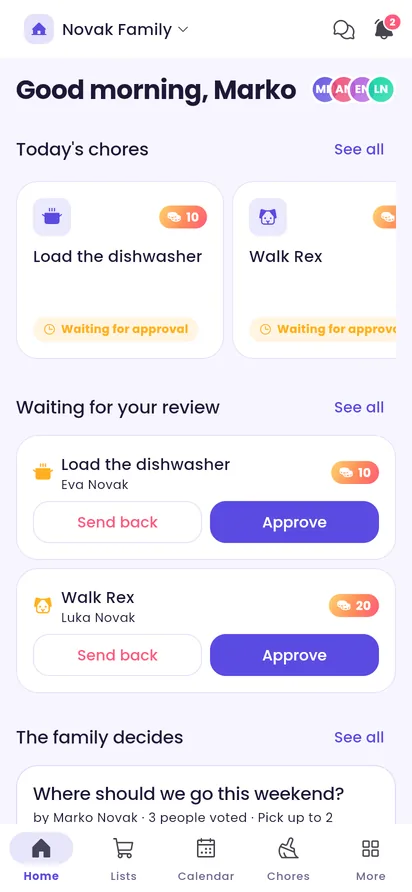
Home: today's chores, what needs your review and the open votes. -
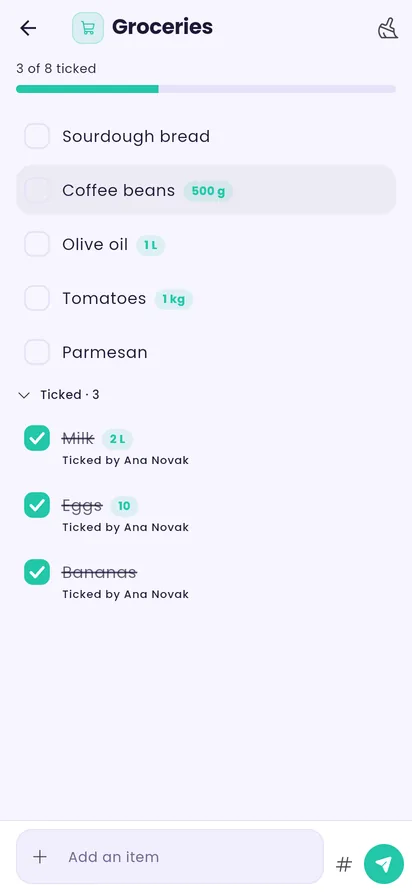
A shared shopping list with live ticking. -
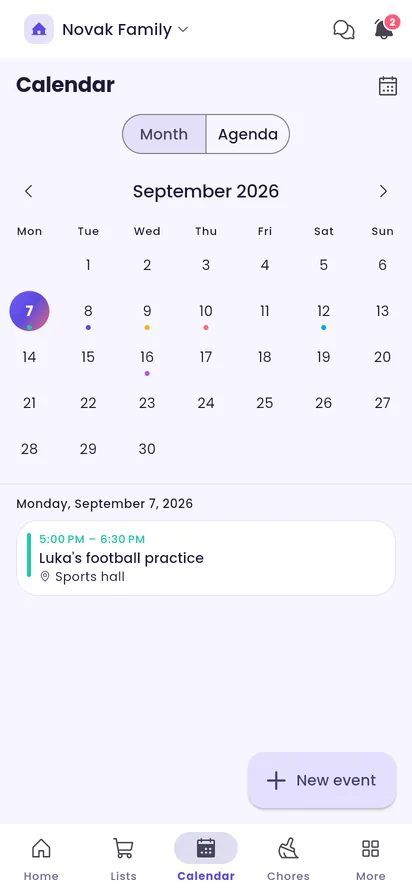
The family calendar in month view. -
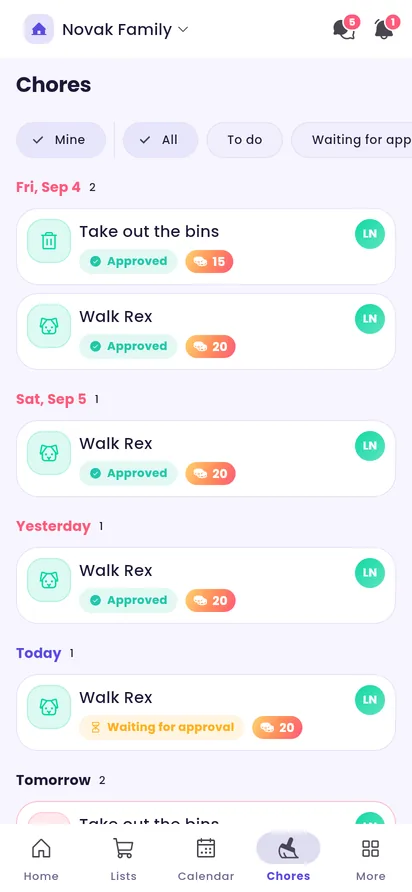
A child's chore board with approvals and coin rewards. -
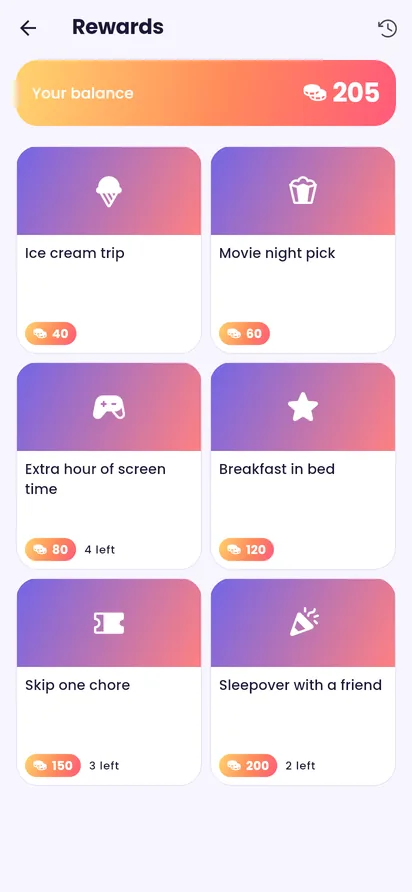
The rewards shop and the current coin balance. -
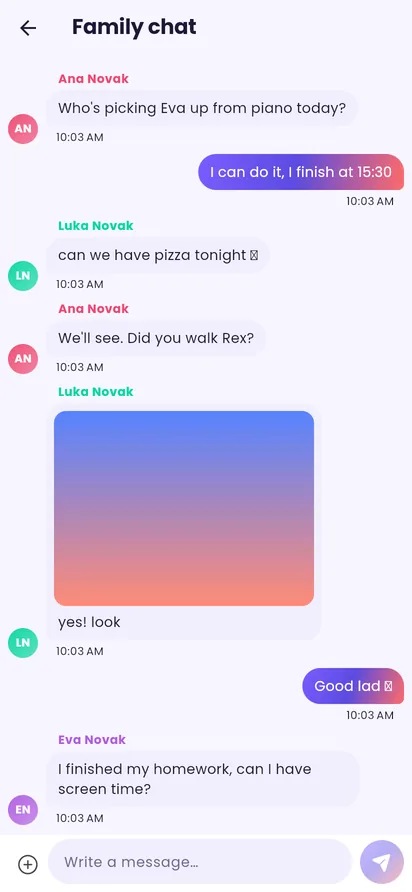
The family chat, with a photo. -
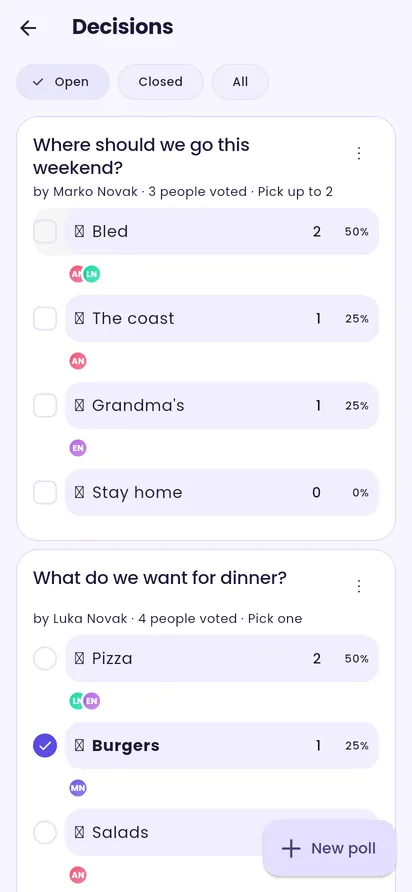
Family decisions with live tallies. -
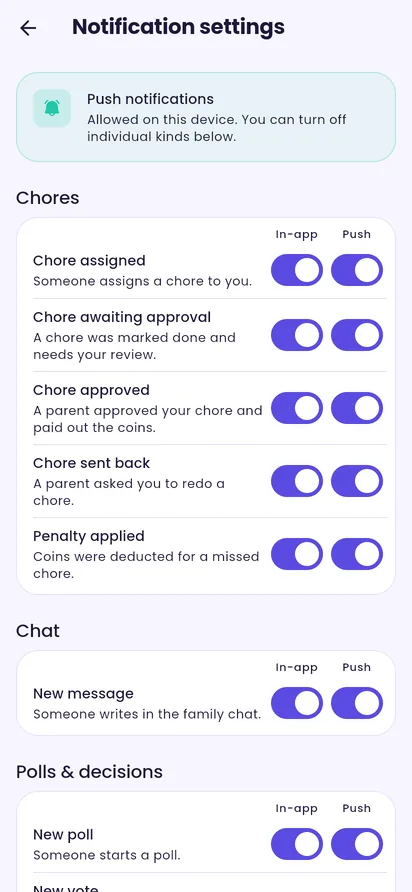
Notification settings: in-app and push, per kind.
Built for families, not for advertisers
-
No ads, no tracking
No advertising SDK, no third-party analytics, no data brokers. Ever.
-
Hosted in the EU
Your data lives on servers inside the EU and is handled under the GDPR.
-
You are in control
Location sharing is off until you turn it on. Notifications are yours to mute, kind by kind. Delete your account from the app at any time.
-
Open technology
Maps from OpenStreetMap, icons from Phosphor, no proprietary lock-in.
Speaks your language
The app, every notification and every email arrive in your language — and each family member can choose their own.
Questions, answered
Is Familya free?
Yes. There are no ads, no in-app purchases and no paid tier at launch.
Who can see what?
Lists, the calendar, chat and chores are shared inside your family only. Notes, reminders and calendar events can be marked private. Your location is visible only while you have sharing switched on.
Can a child use it?
Yes. An admin can create a child account without an email address or phone. Children use a four-digit PIN on the shared dashboard to access their chores and rewards.
Can I belong to more than one family?
Yes. Join as many families as you like and switch between them from the home screen. Your role can differ in each.
What about my data?
You can export it or delete your account from Settings. The privacy policy explains what is stored and for how long, in plain language.
Bring the family together
Free on Android and iOS. Set up in minutes.